Required Scopes

Scopes
read_products,write_products,read_orders,read_all_orders,read_returns
App URL
https://tseller.co.za/
App Name
TSeller

Scope Details

read_productsProduct sync and catalog reporting
write_productsUpdate product pricing from TSeller
read_ordersOrders and refund data
read_all_ordersHistorical order backfill
read_returnsReturn and refund tracking

Step-by-Step

1

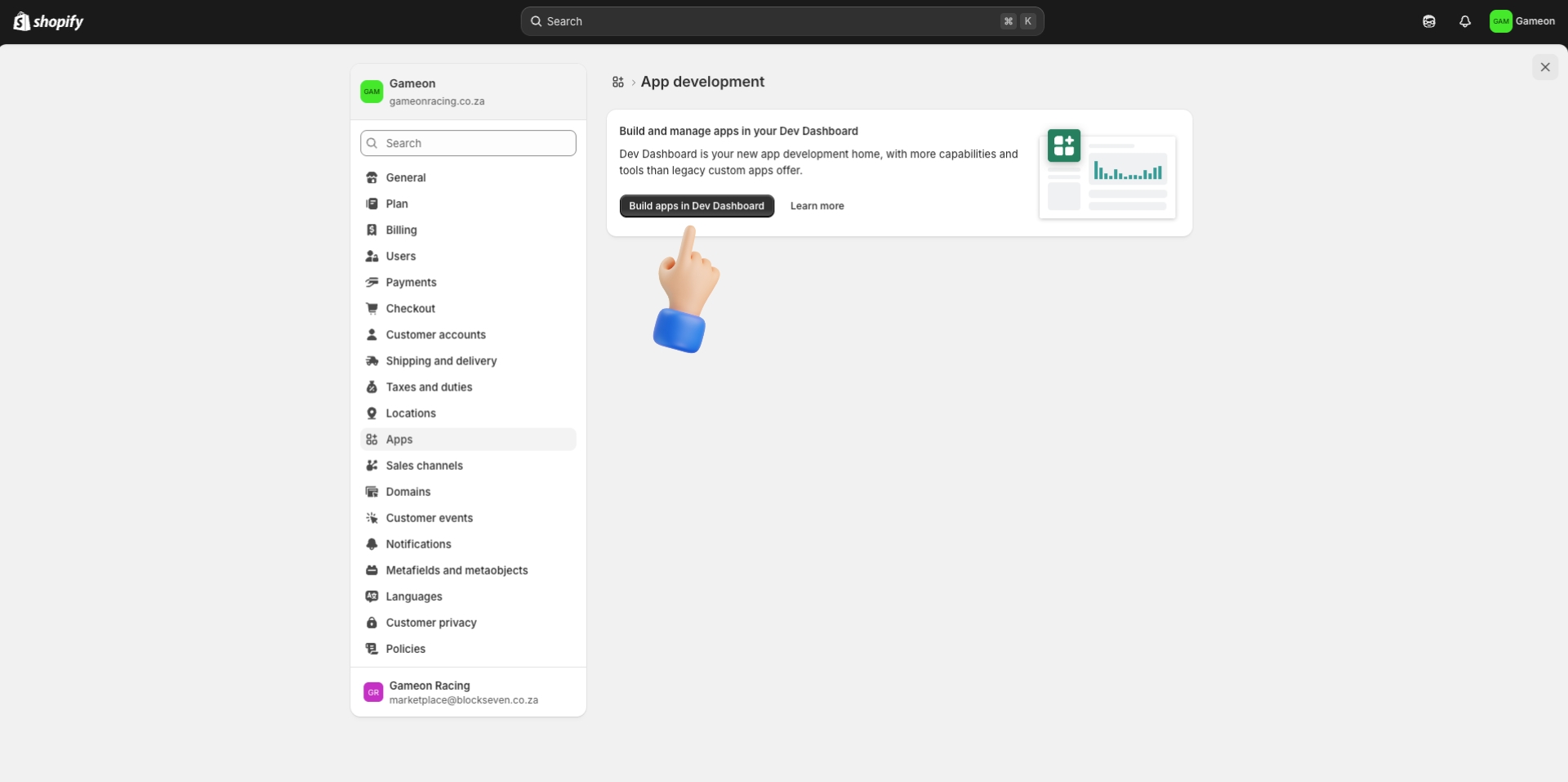
Open Shopify Admin and navigate to Develop Apps

Sign in to your Shopify Admin. Go to Settings › Apps and sales channels and click Develop apps.
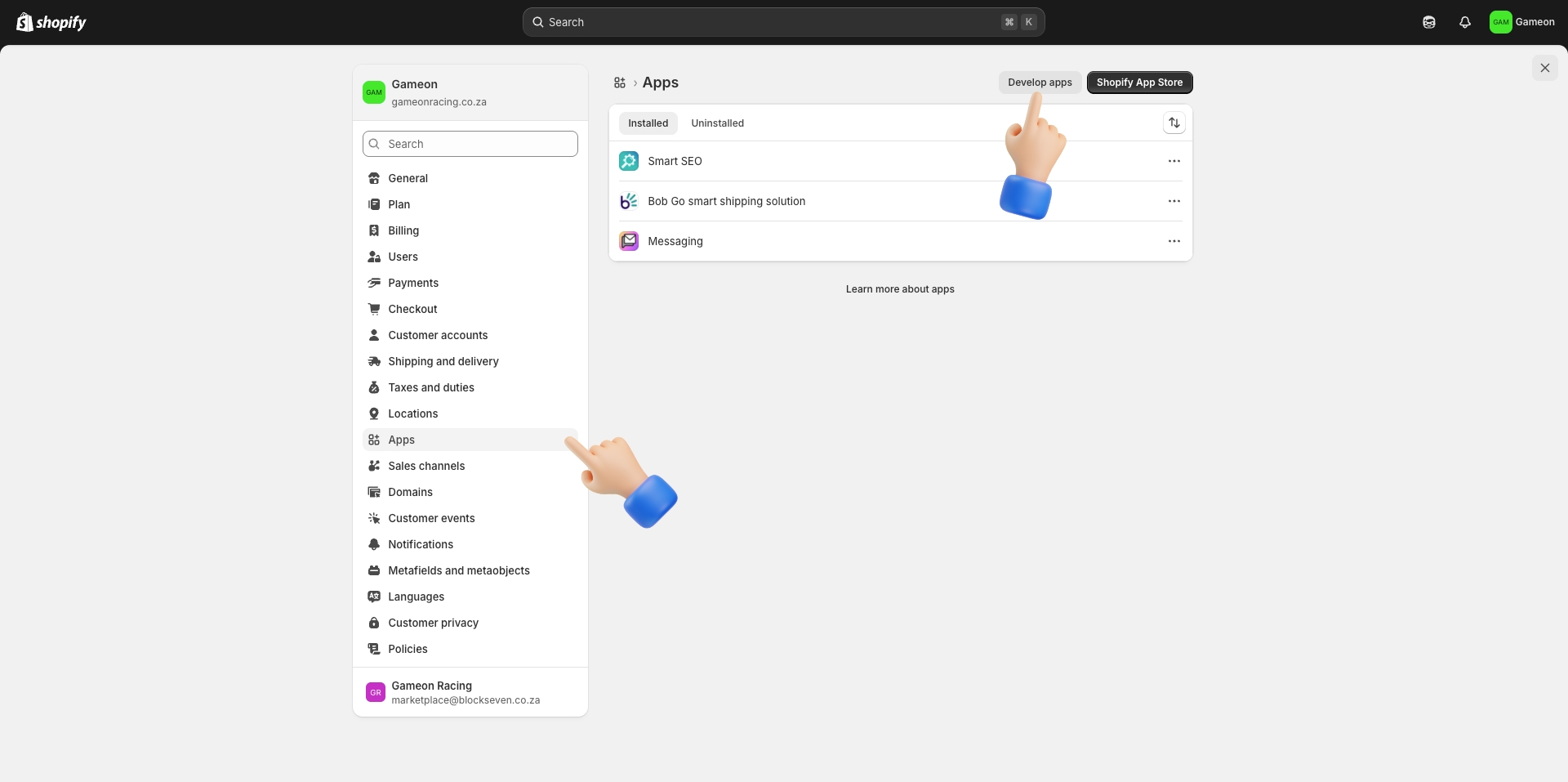
Shopify Admin - Settings - Apps - Develop apps
2

Open the Dev Dashboard

Click Build apps in Dev Dashboard to open the Shopify Developer Dashboard.

Build apps in Dev Dashboard
3

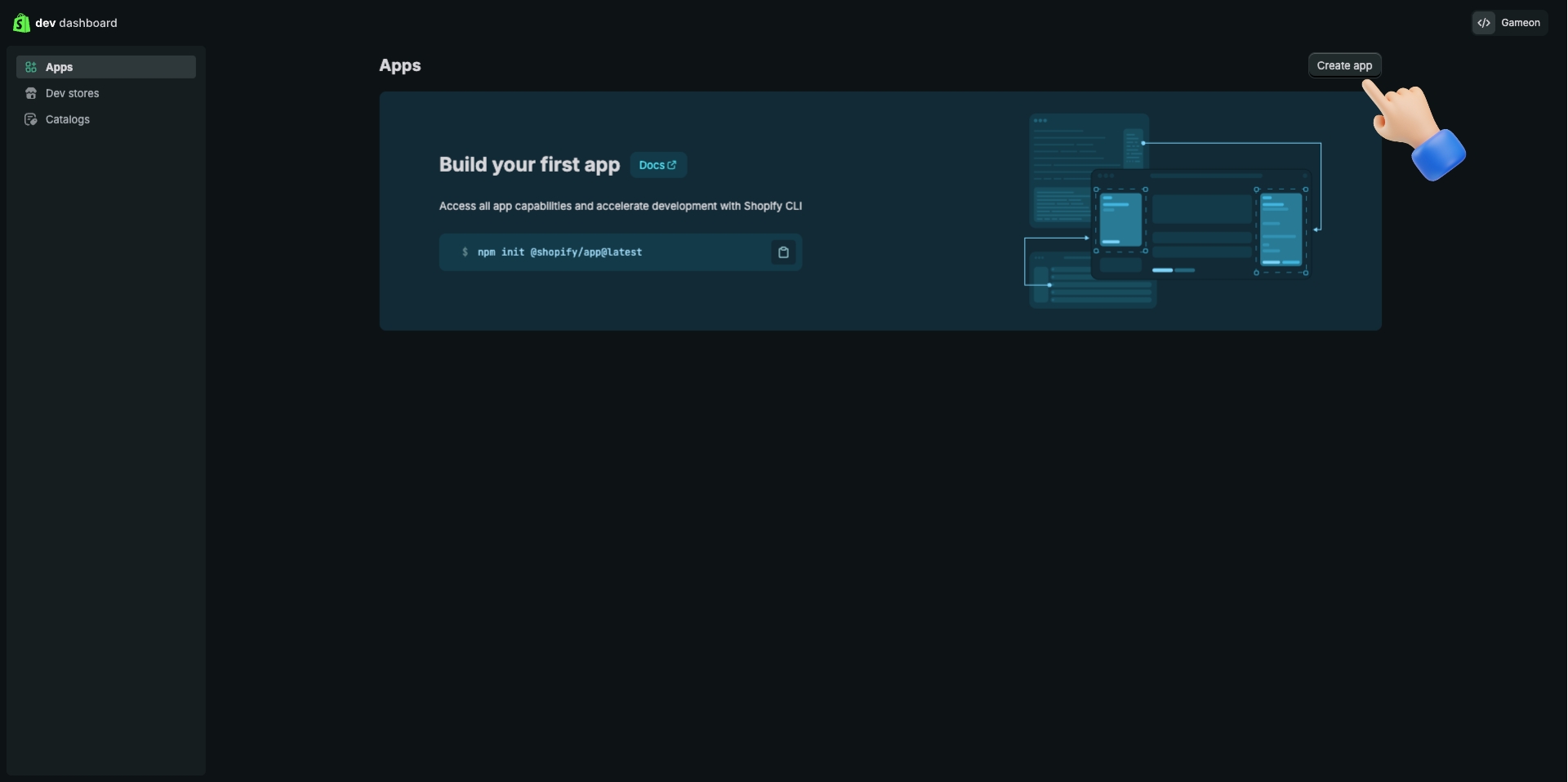
Create a new app

In the Dev Dashboard, click Create app in the top-right corner.

Dev Dashboard - Create app
4

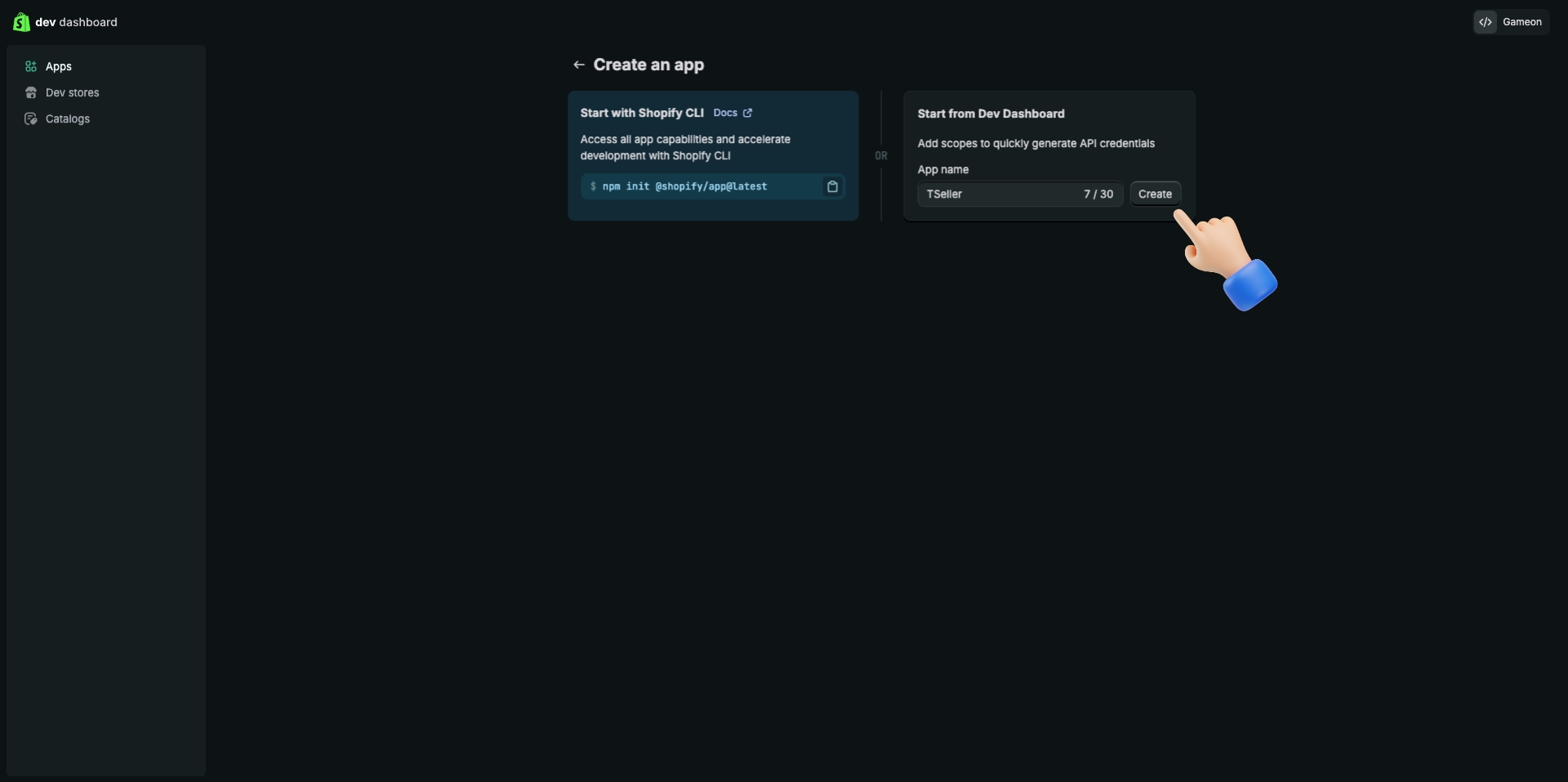
Name the app

Choose Start from Dev Dashboard. Enter TSeller as the app name, then click Create.

Create app - Enter name TSeller
5

Configure access scopes

On the app version configuration screen, paste the required scopes from above into the Access scopes field and set the App URL to https://tseller.co.za/
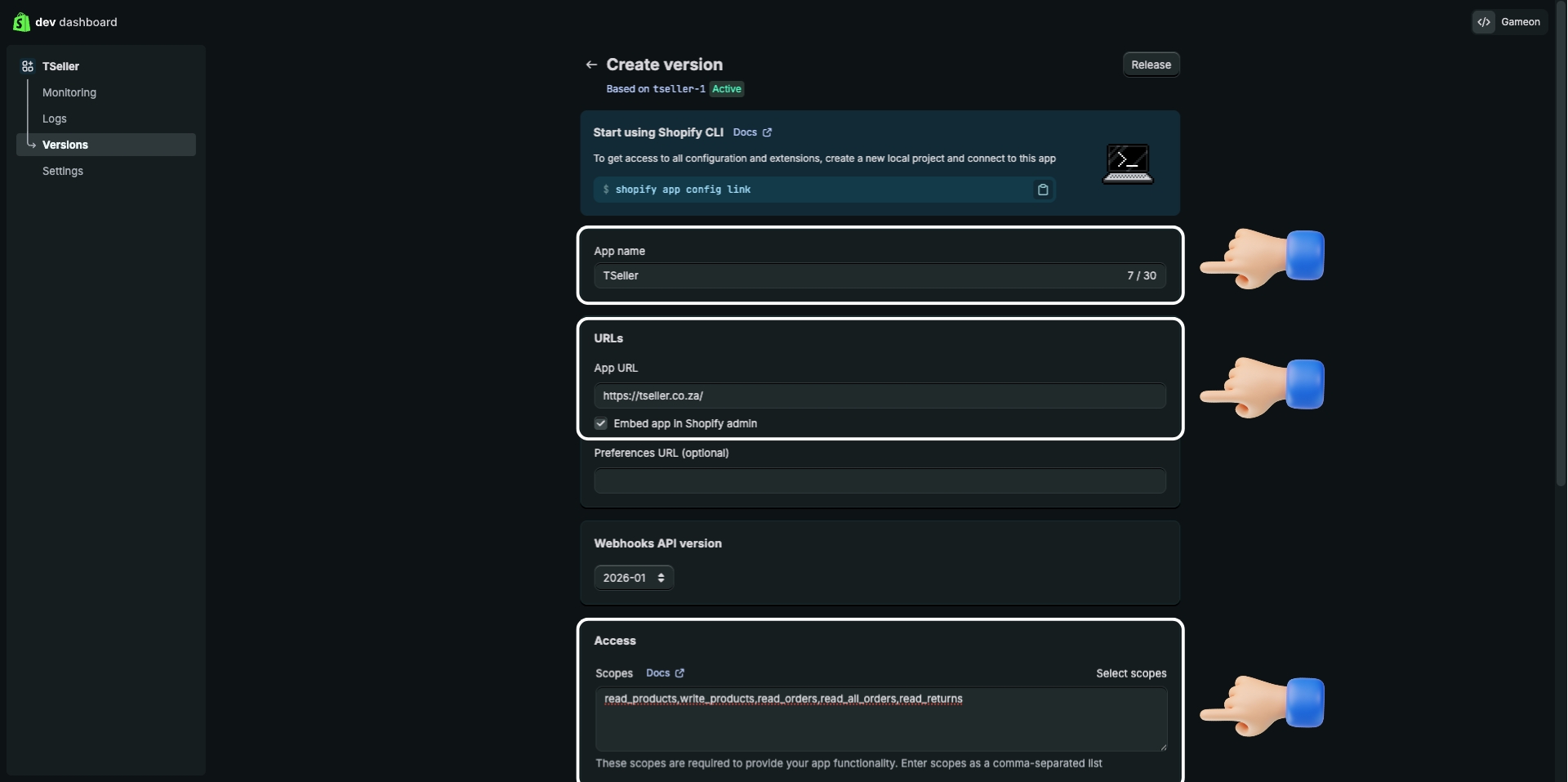
Configure app name, URL, and access scopes
6

Release the app version

Scroll down and click Release to save your configuration.
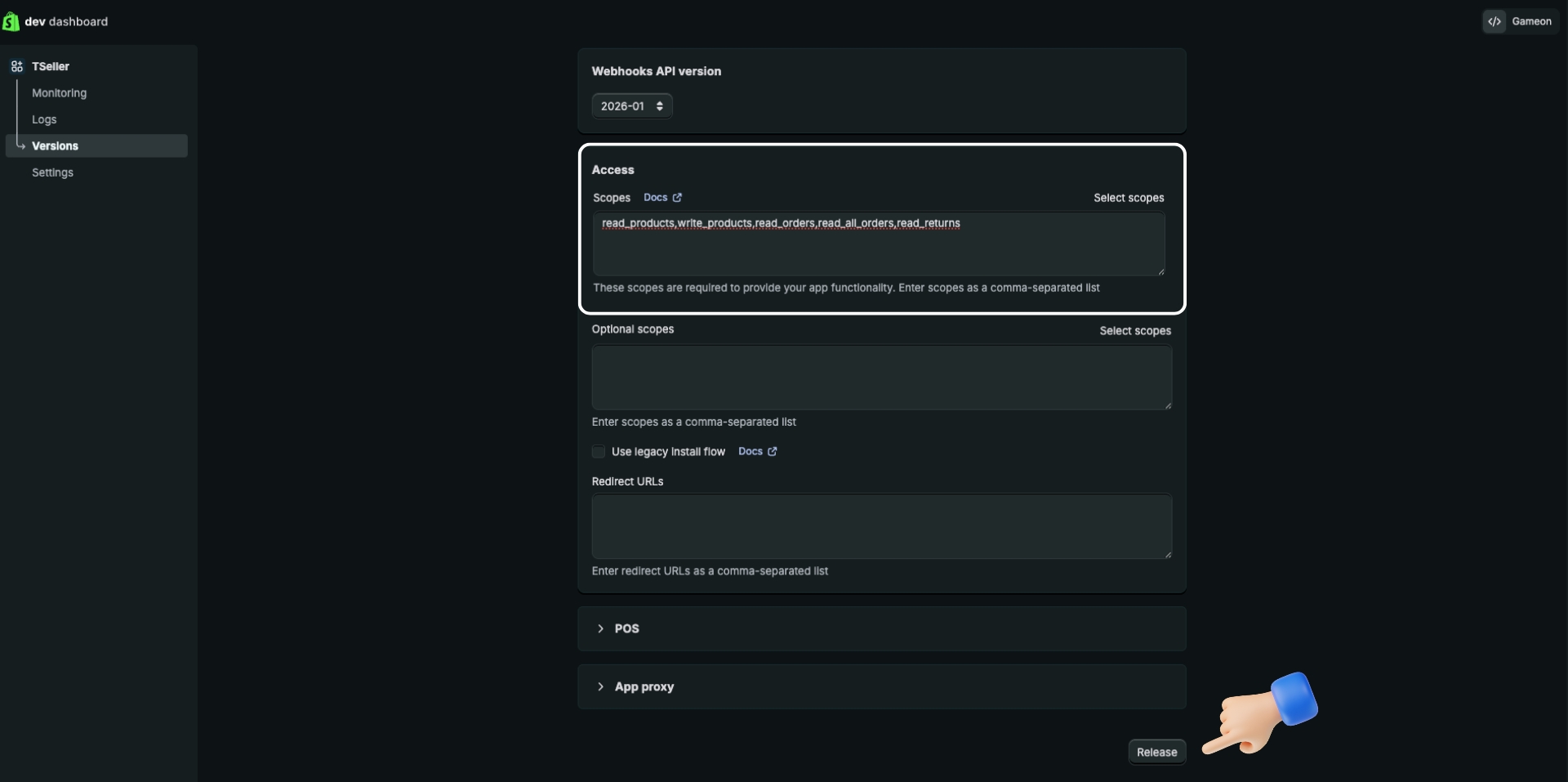
Click Release to save the configuration
7

Install the app on your store

Go back to the app Overview page and click Install app. Confirm it shows 0 › 1 installs.
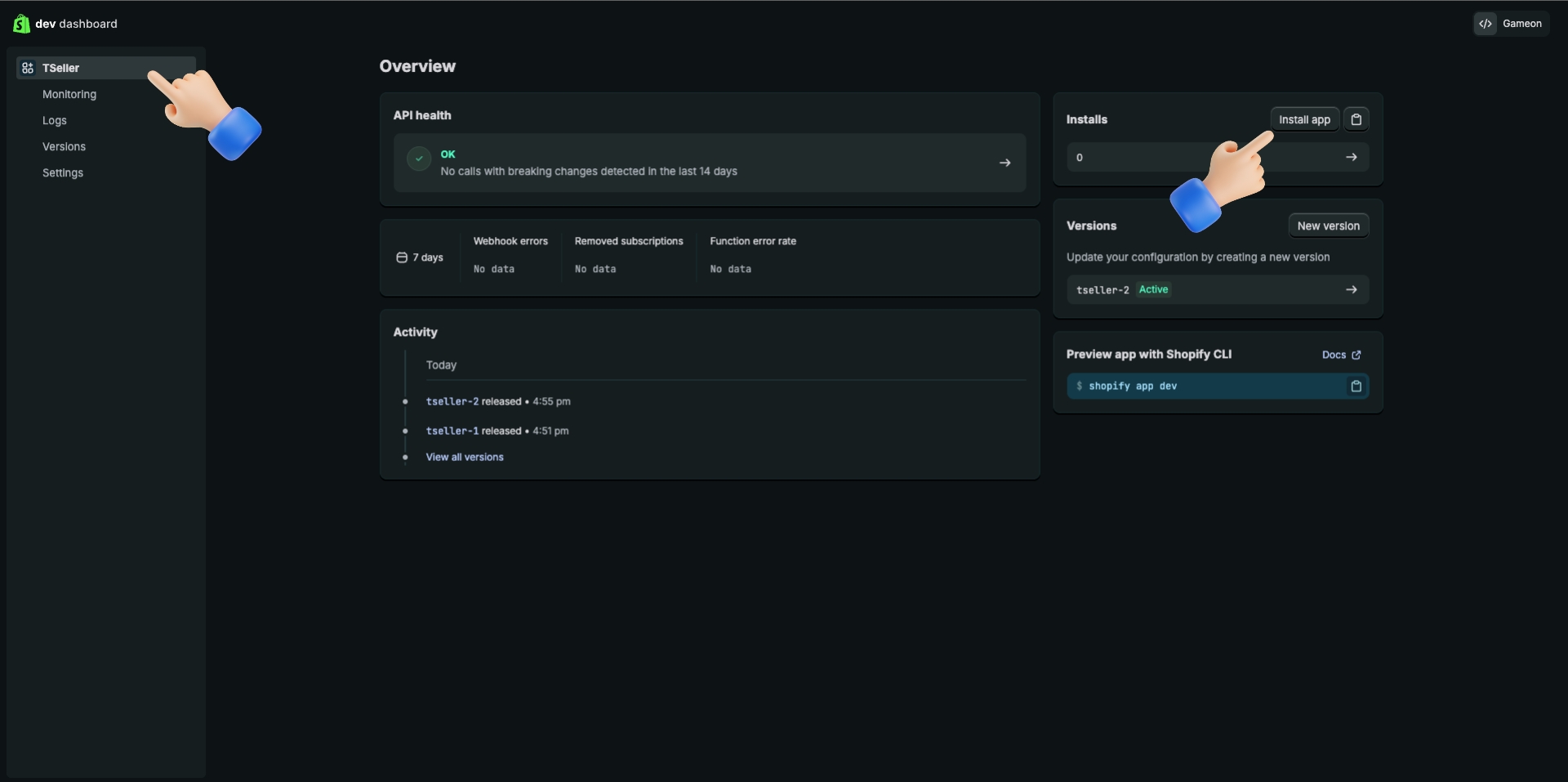
Overview page - Click Install app
8

Confirm the installation

Shopify will show the permissions the app needs. Review and click Install.
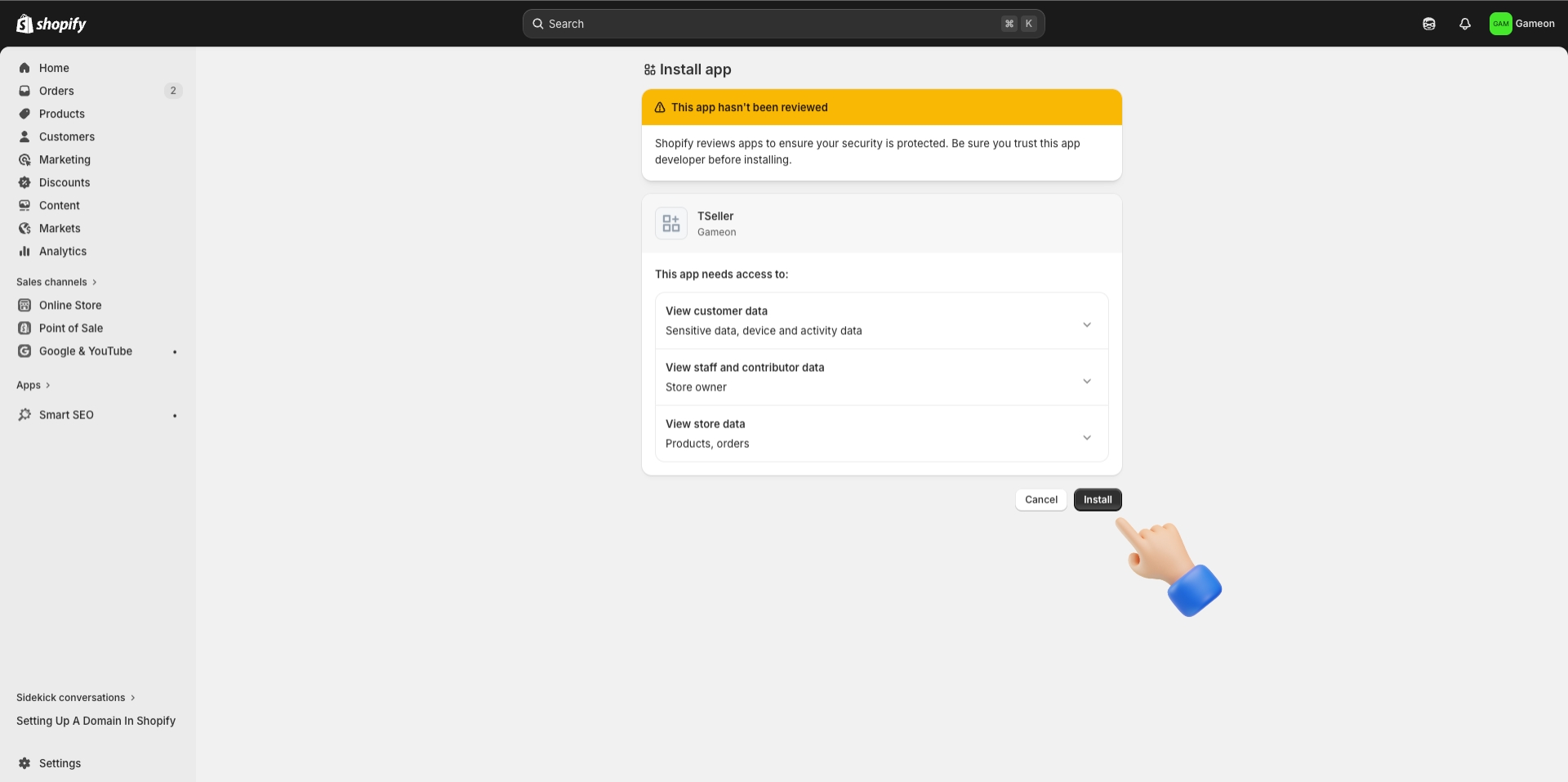
Confirm installation dialog
9

Copy your Client ID and Client Secret

In the Dev Dashboard sidebar, click Settings. Copy the Client ID and Client Secret — you'll need both in the next step.
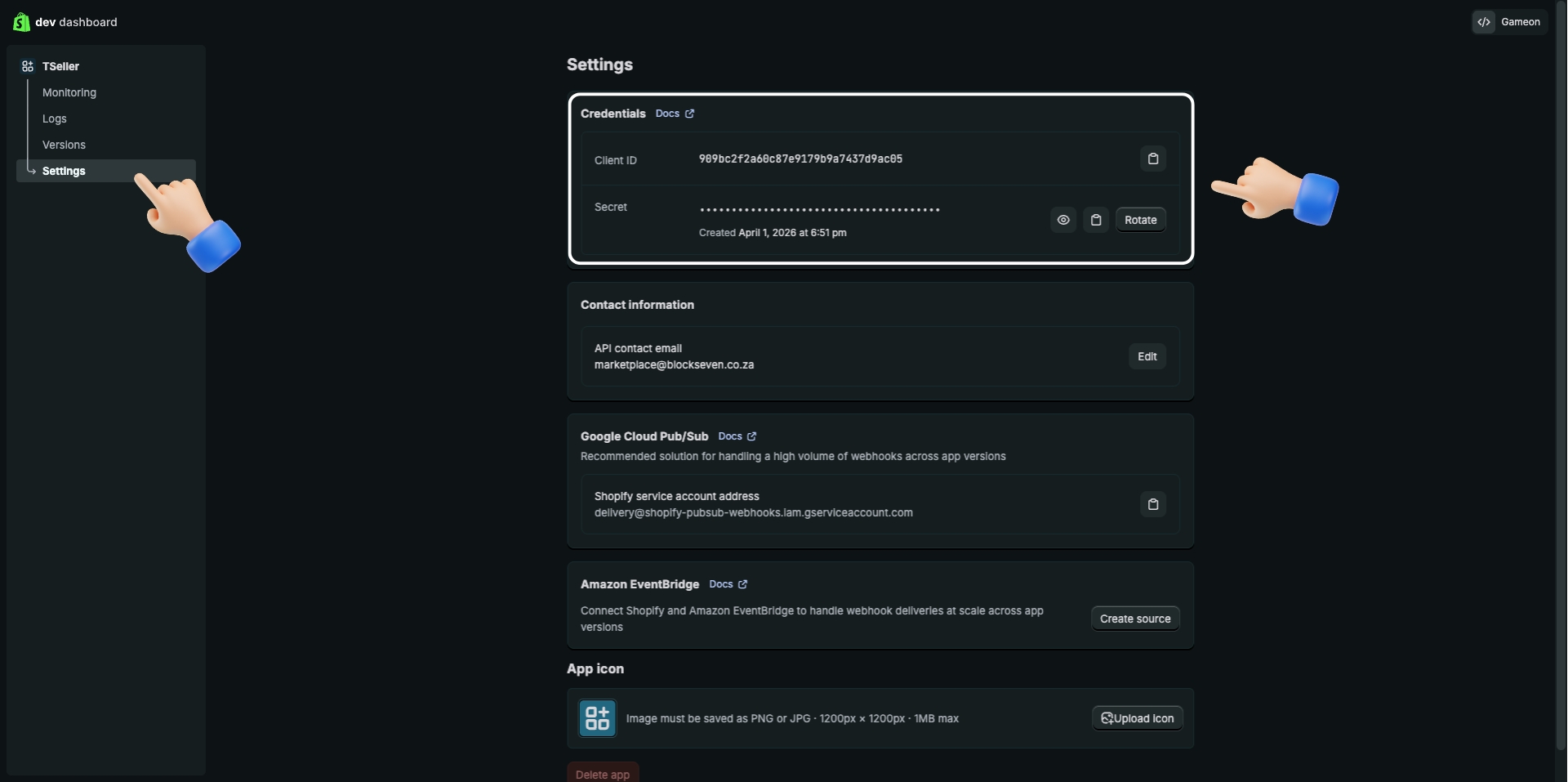
Copy Client ID and Client Secret from Settings
10

Find your .myshopify.com domain

In your Shopify Admin, go to Settings › Domains. Your permanent domain ends in .myshopify.com — this stays the same even if you use a custom domain.
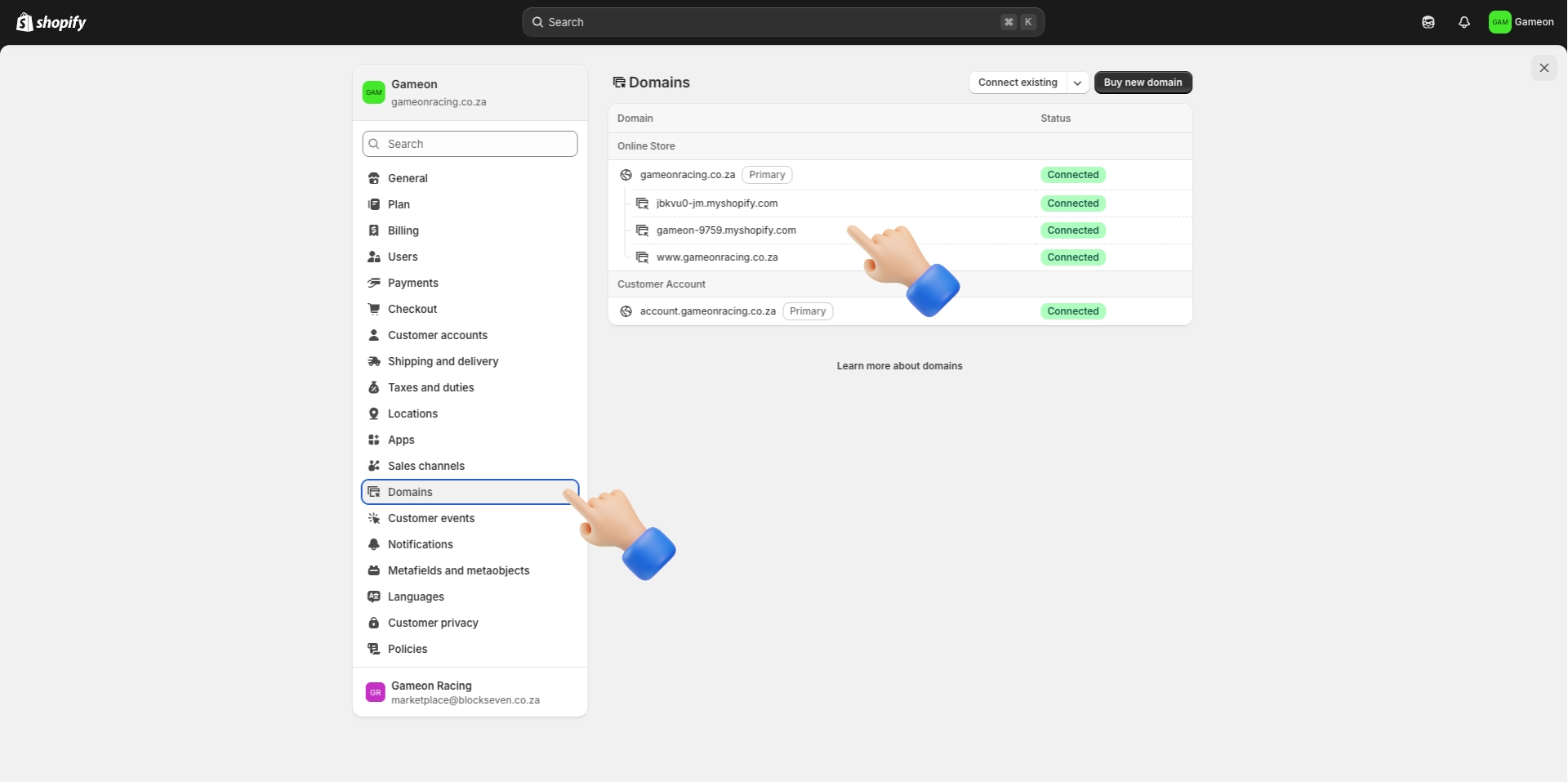
Shopify Admin - Settings - Domains
11

Connect in TSeller

Go to TSeller › Settings › Integrations. Click Connect Store › Shopify, then enter your Shop Domain, Client ID, and Client Secret.
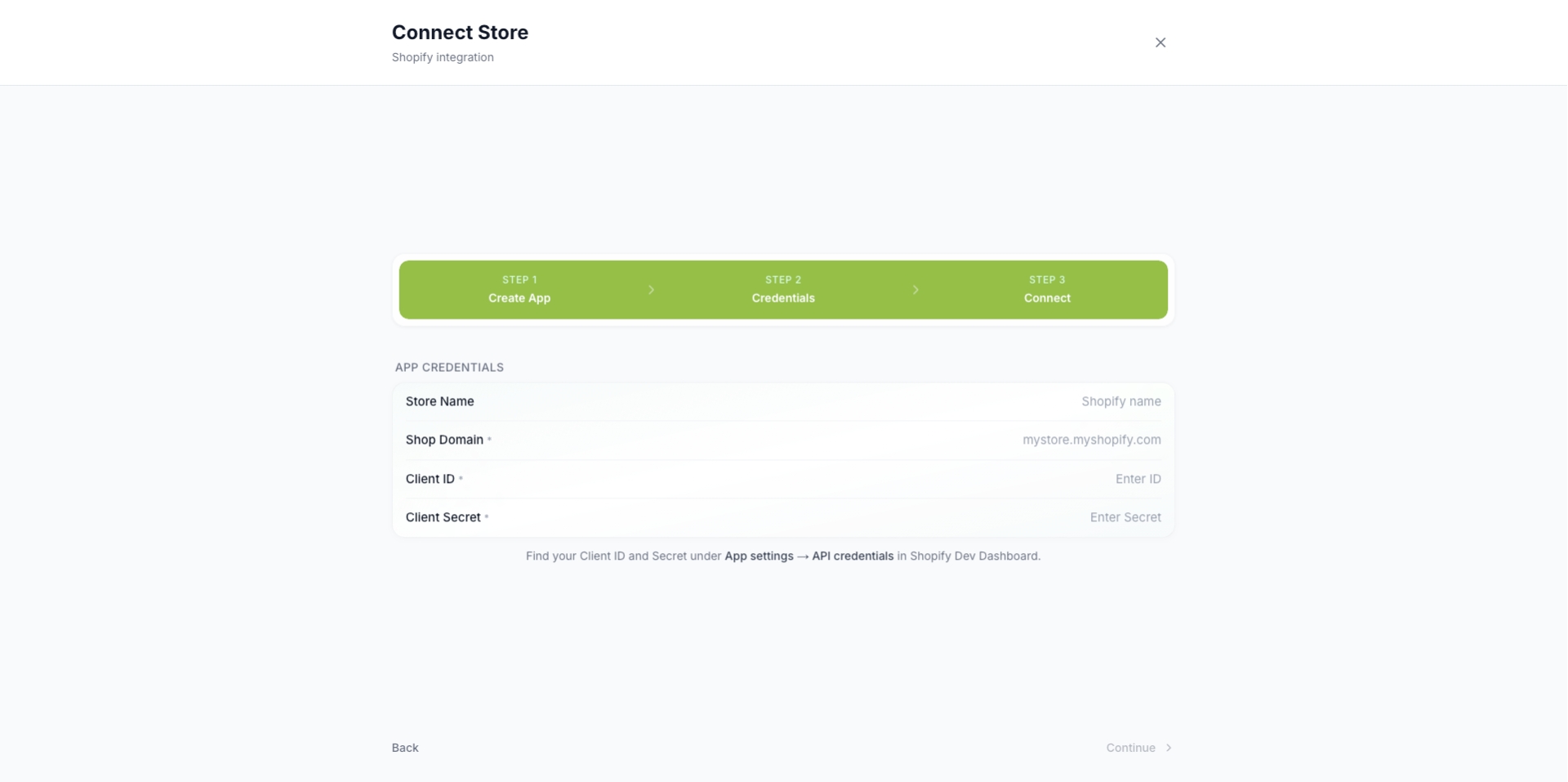
TSeller Settings - Connect Shopify Store

Troubleshoot
Guide

Credentials rejected

Check the app is released, installed, and the domain is your .myshopify.com address.

Missing scopes error

Update scopes in Dev Dashboard, release, reinstall the app, then reconnect.

No data after connecting

Initial sync takes a few minutes. Try disconnecting and reconnecting after 10 minutes.

Need help?

Get in touch with support