Amazon Buy Box Repricer
Sep 28, 2026 by Dihan Stoltz · 5 min read
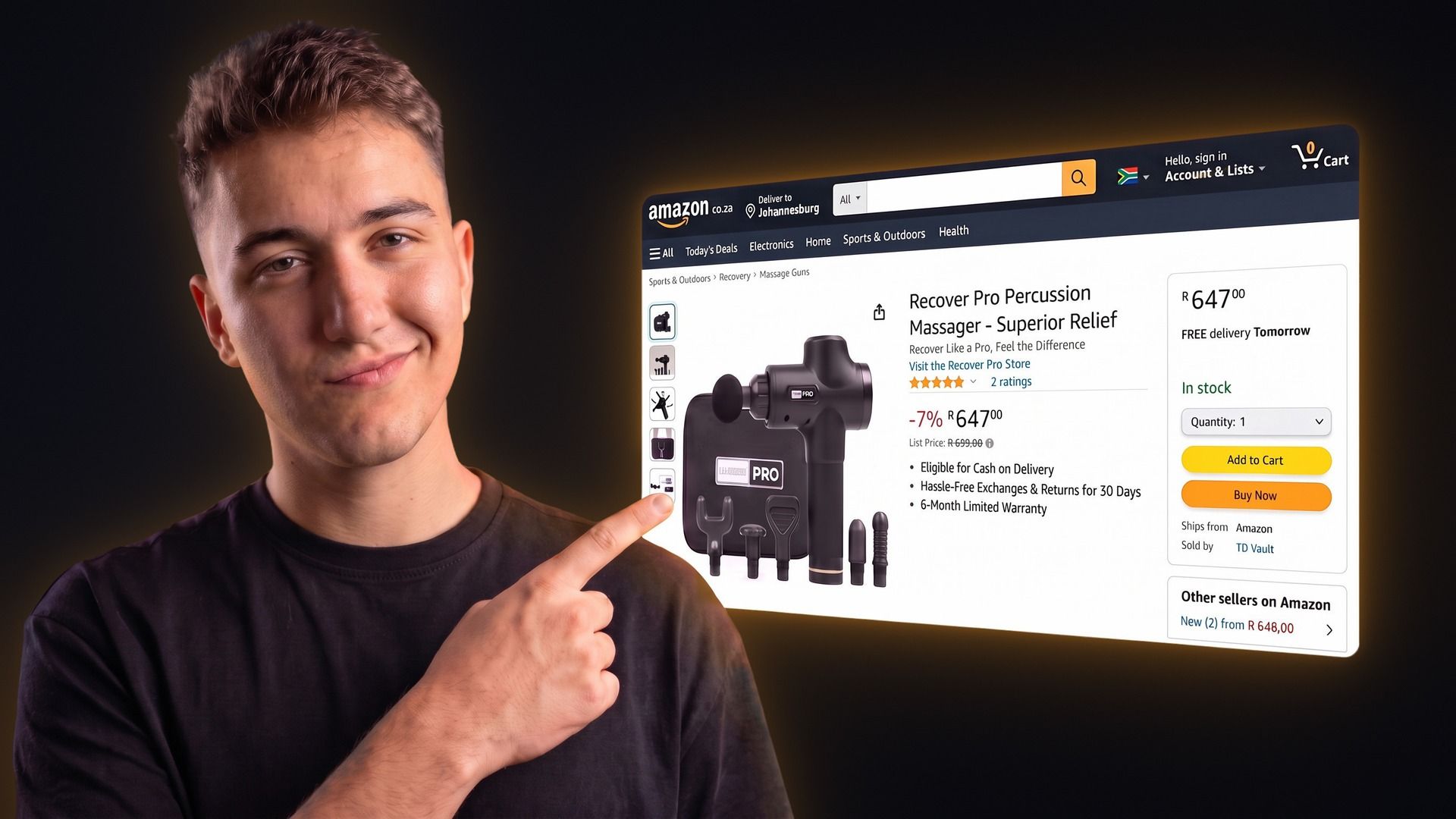
The TSeller Buy Box repricer now works on Amazon South Africa. It sits beside the Takealot and Makro repricers on the same Buy Box page, with the same rules and one shared tracking limit. Amazon is the hardest of the three marketplaces to reprice well, because being the cheapest seller is not always enough to win. This guide explains what the Amazon Buy Box is, why cheapest does not always win on amazon.co.za, and how TSeller wins it automatically without cutting your price when price was never the problem.
What Is the Amazon Buy Box?
When several sellers offer the same product on Amazon, one offer is shown on the product page with the Add to Cart and Buy Now buttons. Amazon now calls this the Featured Offer; sellers still call it the Buy Box. Everyone else is listed under See All Buying Options, which most customers never open. Amazon chooses the featured offer using price, delivery speed, seller performance and whether the offer ships with Prime, and the choice can differ from one customer to the next. Sometimes Amazon features no offer at all, typically when every price looks higher than usual, and the product can then only be bought through See All Buying Options.
Why the Cheapest Seller Doesn't Always Win on Amazon
On Takealot and Makro, the lowest price is the lever that moves the Buy Box. Amazon is different. On one live seller account we checked while building the repricer, 37 of 180 losing listings were already the cheapest offer and were still losing, almost always to Amazon's own retail offer or to a seller using Fulfilment by Amazon. Cutting the price further on those listings would only give margin away to a rival who wins on delivery rather than price. So a good Amazon repricer has to tell the two situations apart: undercut when price is the reason you are losing, and hold when it is not.
How TSeller's Amazon Buy Box Repricer Works
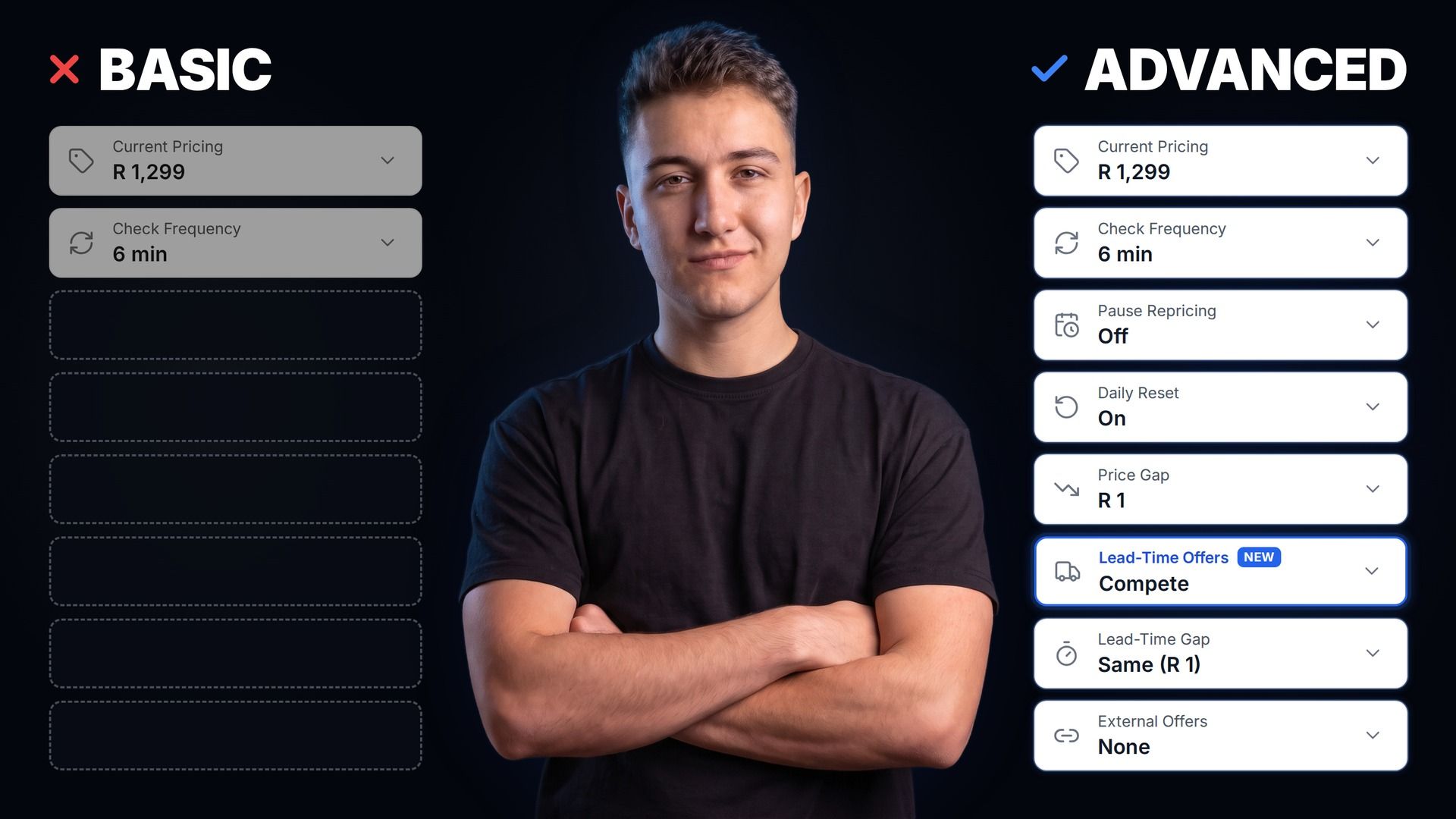
Every tracked offer is checked every six minutes by default, or as rarely as every four hours if you choose. When you are losing to a cheaper offer, TSeller sets your price one rand below the Buy Box price, or by whatever price gap you choose, never lower than your minimum price. When you are already cheaper and still losing, it holds your price and alerts you, because the problem is fulfilment rather than price. When you are winning, it holds. Your price moves back up through daily reset, which returns every enabled offer to its preferred price at midnight so each day starts at full margin — so switch daily reset on. Every change is logged in Update History with the competitor price that triggered it.
Know Who Took the Buy Box
Amazon's own data identifies rival sellers by an ID code rather than a name. TSeller resolves them, so you can see which seller holds the Buy Box on each listing, including when it is Amazon itself, along with every competing offer, its price and whether it is fulfilled by Amazon or by the seller, and the lowest, average and highest price on the listing. That tells you straight away whether a loss is worth fighting on price or is a fulfilment problem.
Setting Up the Amazon Repricer
Connect your Amazon Seller Central account through Amazon's official sign-in, open Buy Box, and switch the toggle at the top to Amazon. You will see your win rate, winners and losers. Listings where Amazon features no offer are left out, since there is no Buy Box to win on them. Open Auto Tracking, add the offers you want to reprice, and set two numbers on each: a minimum price you can still make money at — TSeller pre-fills it at 80% of your current price as a placeholder, so replace it with your real break-even — and a preferred price for when you have the listing to yourself. Offers stay inactive until you switch auto-pricing on for them. For a one-off change, the manual repricer shows a recommended price one rand under the Buy Box that you can apply with one click.
Safety Limits and Profit
Your minimum price is a hard floor the repricer never crosses. Each listing is also capped at 40 price changes a day, a rejected price update pauses the listing for an hour, and each offer's detail view projects your profit at your minimum and preferred price after Amazon's fees and your product cost.
Pricing
The Amazon Buy Box repricer is included in TSeller's flat R199 per month subscription with a 14-day free trial. Ten Buy Box trackers are included and each additional tracker is R3 per month. The tracking limit is shared across Takealot, Makro and Amazon, so one allocation covers all three.
Conclusion
Winning the Amazon Buy Box is partly a pricing problem and partly a fulfilment one, and a repricer that cannot tell the difference will cost you margin on every listing where price was never the issue. TSeller undercuts when price is why you are losing, holds when it is not, and never goes below your floor. If you also sell on Takealot or Makro, the same rules run there too — see the Makro Buy Box repricer guide. Start your free 14-day trial at https://tseller.co.za, or if you are already a TSeller user, open Buy Box, switch to Amazon, and add your first offers to tracking.