TSeller Shopify App

Nov 9, 2026 by Dihan Stoltz · 5 min read
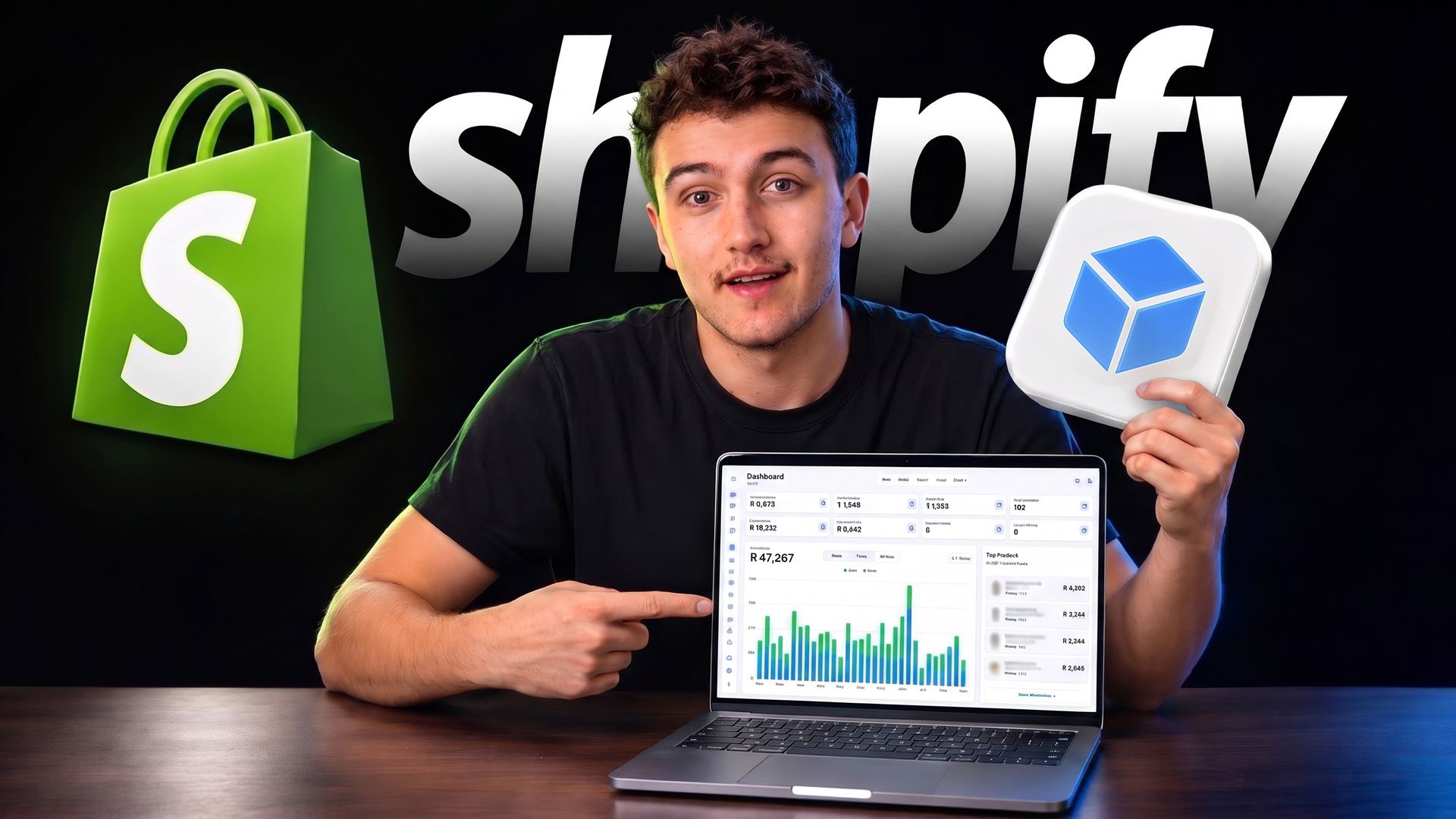
The official TSeller Shopify app on the Shopify App Store: a seller beside the green Shopify logo holds up the white TSeller app icon with its blue cube and points at a MacBook showing the TSeller dashboard with R47,267 in sales, a daily sales chart and top products, for managing a Shopify store next to Takealot, Amazon and Makro

TSeller is now an official Shopify app, listed on the Shopify App Store after Shopify reviewed and approved it. Connecting your Shopify store to TSeller used to mean creating a custom app in your Shopify admin, choosing access scopes and copying keys across. Now you install TSeller from the Shopify App Store, approve it and click Connect account, and your Shopify sales, orders and products sit in TSeller next to your Takealot, Amazon and Makro stores. This guide shows how to connect in about two minutes, which plan to choose in Shopify and what you can do with your Shopify store in TSeller once it is connected.

TSeller Is Now on the Shopify App Store

TSeller went live on the Shopify App Store on October 31, 2026. Shopify reviews every app before it is listed, and you install TSeller the same way as any other app on your store.
No custom app—You no longer create an app in your Shopify admin, choose access scopes or copy a client ID and secret into TSeller.
No store address to type—TSeller never asks for your myshopify.com address. Shopify already knows which store you are installing on.
Your full order history—The app reads all of your past orders, not only the last 60 days, so your Shopify sales and profit reports in TSeller go back as far as your store does.
Updates arrive on their own—When TSeller updates the app, your store gets the new version automatically. There is nothing to reinstall.
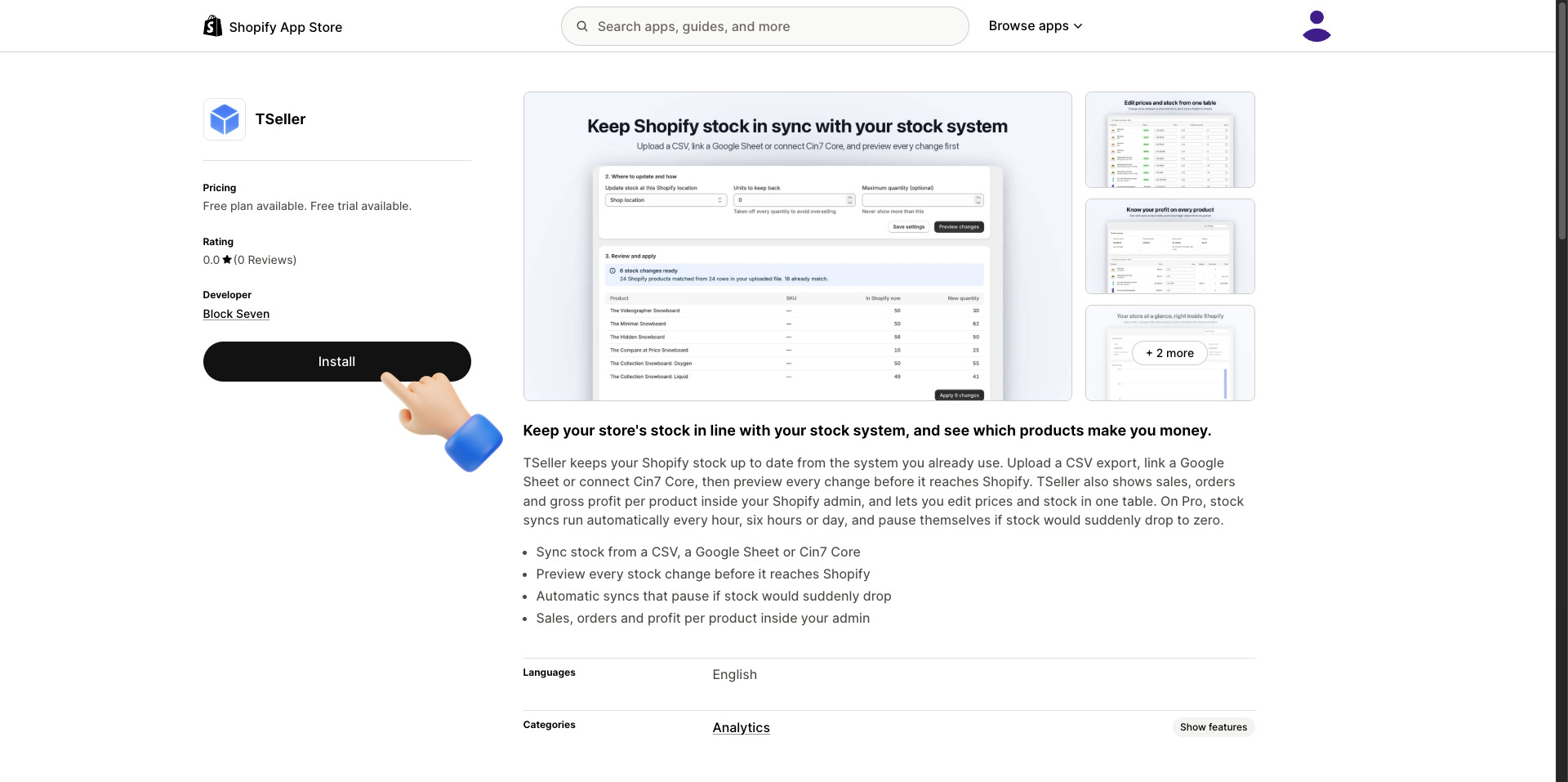
The TSeller app on the Shopify App Store, published by Block Seven with a free plan available, and the Install button

How to Connect Shopify to TSeller

Connecting takes about two minutes, and the video at the top of this post shows every step. You need a TSeller account and access to your Shopify admin, and the Shopify setup guide has a screenshot of each step.

Start in TSeller—In TSeller on the web, click the account icon at the top right, open Account Settings, choose Shopify and click Install on Shopify. Signing up for TSeller? Click Install on Shopify on the Connect Shopify step.
Install from the App Store—The TSeller listing on the Shopify App Store opens. Click Install, signing in to Shopify and choosing your store if it asks.
Approve access—Shopify lists what TSeller can see and change in your store. Review it and click Install.
Choose your plan—Select Free if you already have a TSeller account. Pro is for stores that use TSeller for Shopify only.
Approve the plan—Shopify confirms the Free plan costs nothing and you will not be billed. Click Approve.
Connect your account—TSeller opens inside your Shopify admin. On the Already use TSeller? banner, click Connect account. A TSeller tab links the store to the account you are signed in with. Click Continue in TSeller, and your Shopify orders, products and stock start loading.

Free or Pro: Which Shopify Plan to Choose

Shopify asks you to choose a plan when you install TSeller, and Shopify bills that plan, not TSeller. If you already pay for TSeller, choose Free: your TSeller subscription already covers everything on tseller.co.za, including TSeller AI. Selling only on Shopify? Choose Pro. You do not need a Takealot account, and on top of everything in Free it adds automatic stock syncs, the TSeller dashboard in any browser and TSeller AI.

Free
Pro
Best forTSeller usersShopify only
Price in ShopifyFree$11.99 a month
Free trial—14 days
Sales, orders & best sellers in ShopifyYesYes
Profit & margin per productYesYes
Edit prices & stock in one tableYesYes
Stock sync from a CSV, Google Sheet or Cin7 CoreYesYes
Automatic stock sync in Shopify—Yes
TSeller on the web & TSeller AIWith TSellerYes

On Free, TSeller on the web and TSeller AI come with your TSeller subscription, which covers Takealot, Amazon, Makro and every other marketplace from R199 per month with a 14-day free trial. Shopify bills Pro in US dollars every 30 days.

What You Can Do Once Shopify Is Connected

Your Shopify store joins the same TSeller account as your Takealot, Amazon, Makro, WooCommerce, Bob Shop and Leroy Merlin stores, so you manage it from the same pages.

One sales dashboard—Shopify sales show on your TSeller dashboard next to every other marketplace, so you can see which channel sold more this week without opening separate reports.
Orders and offers—See every Shopify order, and change prices, compare-at prices and stock from TSeller, saved straight to Shopify.
Profit per product—Add your product costs once and TSeller shows profit and margin for every Shopify product.
Stock in step across marketplaces—Set Shopify as the source of truth on the Inventory page, and TSeller keeps the stock you ship from your own warehouse on Takealot in line with it. Listings match by SKU, barcode or a link you set, packs and bundles count the stock they can make, and TSeller AI can run the same check for your Amazon listings.
New listings—Products you create with the TSeller listing creator can be published to your Shopify store.
Ask TSeller AI—Ask which Shopify products sell best, what you made last month or what is running low, and TSeller AI answers from your live store data.
Claude, ChatGPT and WhatsApp—Your Shopify sales also reach the Claude and ChatGPT connector and the Morning Briefing in TSeller's WhatsApp alerts.

TSeller Inside Your Shopify Admin

The app also runs inside Shopify. Open TSeller from Apps in your Shopify admin to check the store without leaving Shopify, and click Open full TSeller for everything else.
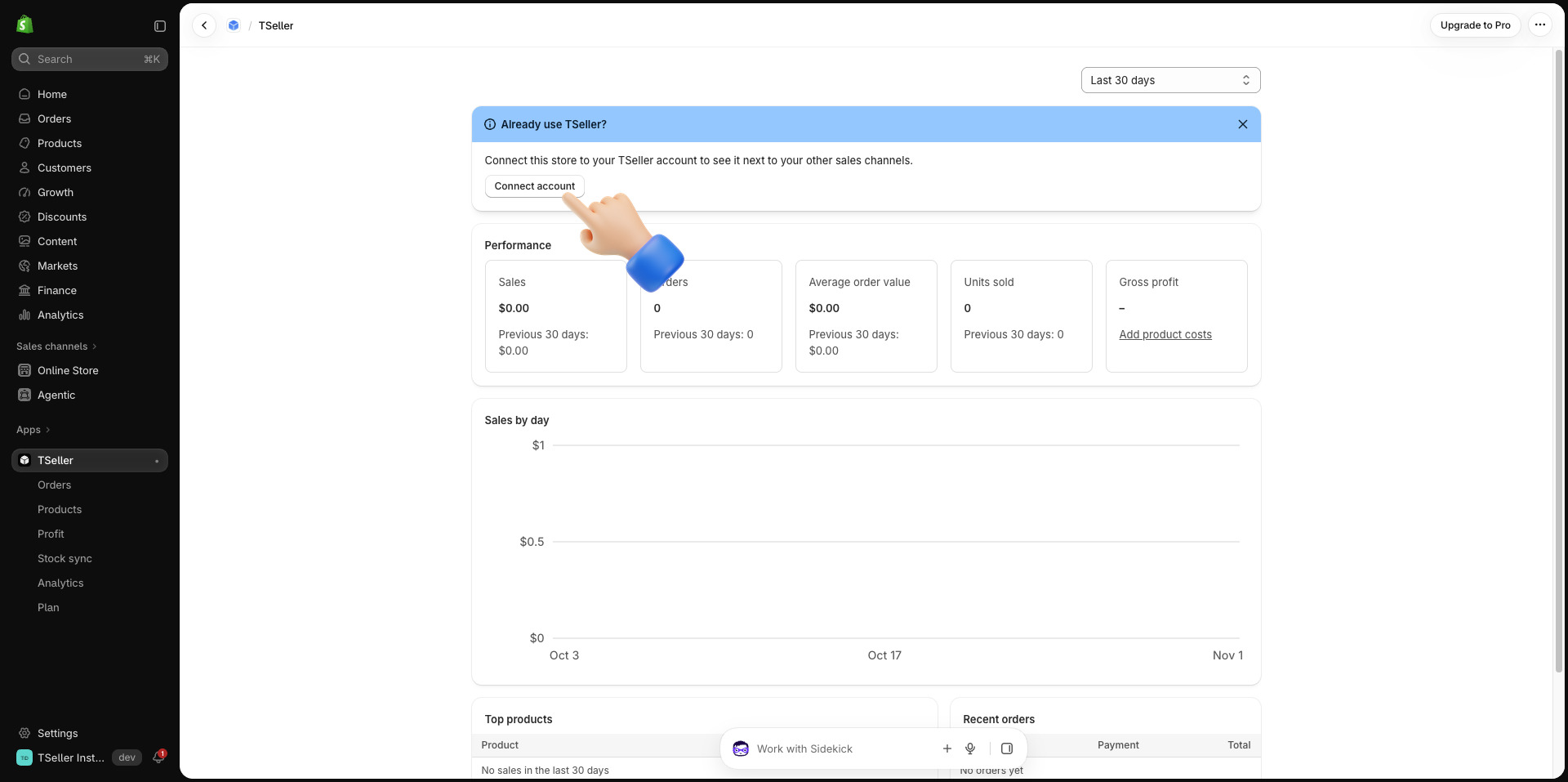
Home—Sales, orders, average order value, units sold and gross profit for the period you choose, with sales by day, top products and recent orders.
Products—Edit prices, compare-at prices and stock in one table.
Profit—Profit and margin per product once you add your costs.
Stock sync—Update Shopify stock from a CSV file, a Google Sheet or Cin7 Core, and preview every change before it is applied. On Pro, syncs run every hour, six hours or day, and pause themselves if many products would suddenly drop to zero.
Orders and Analytics—Your Shopify orders and your sales over time.
TSeller inside the Shopify admin: the Already use TSeller? banner with its Connect account button above sales, orders, average order value, units sold and gross profit

What TSeller Can Access in Your Store

Shopify shows these permissions before you install, and you can remove the app at any time from Apps in your Shopify admin. TSeller never changes your orders. Read the details in our Privacy Policy.

Products and prices—Read your products and save the price changes you make in TSeller.
Stock—Read stock levels and save the stock changes you make in TSeller.
Locations—See which location holds your stock.
Orders—Read your orders and full order history for sales and profit reports.
Returns—Match returns and refunds to their orders.
Sales channels—Publish products you create with the TSeller listing creator.

Already Connected Shopify With a Custom App?

Stores you connected earlier with your own custom app keep working, and there is nothing you need to change. New stores connect through the TSeller app on the Shopify App Store. Stores connected through the app show on tseller.co.za, inside Shopify and in the TSeller iPhone and Android apps.

Conclusion

Connecting Shopify to TSeller is now as simple as installing any other Shopify app: install, approve and connect, and your Shopify store sits beside Takealot, Amazon and Makro in one dashboard, with TSeller AI ready to answer questions about all of them. If you sell on Takealot and Shopify side by side, read how the Shopify Takealot integration brings both into one place. Start your free 14-day trial at https://tseller.co.za, or if you already use TSeller, open Account Settings, choose Shopify and click Install on Shopify.


Filed under: Announcement

Author: Dihan Stoltz

share: