
What You'll Need

Store nameA label shown inside TSeller
API keyPersonal settings in the seller portal

Where To Get Your API Key

Key formatxxxxxxxx-xxxx-xxxx-xxxx-xxxxxxxxxxxx

How Your API Key Is Stored

Why we need your API key

Leroy Merlin SA Marketplace runs on Mirakl, which gives every seller user a personal API key. TSeller uses it to read your offers and orders and push price and stock updates through the official Mirakl API — no password is ever shared with us.

EncryptionYour API key is encrypted with AES-256-GCM before it ever touches our database.
StorageThe encrypted key lives in a locked-down Firestore document only your account can reach.
UseDecrypted only on our servers at request time — never sent to your browser or logged.
Generated a new key?A new key replaces the old one. Disconnect and reconnect Leroy Merlin in TSeller with the new key — no data is lost.

What TSeller Will Sync

Offers
Title, price, stock, status
Orders
Live from Leroy Merlin
Edits
Price and stock updates
First sync
A few seconds

Step-by-Step

1

Open the Integrations page in TSeller

Sign in to TSeller, open Settings › Integrations, find the Leroy Merlin card, and click Connect.

2

Click Get Your API Key

In the Connect Store panel, click Get Your API Key. This opens the Leroy Merlin SA Marketplace seller portal in a new tab on Personal settings › API key. Sign in if prompted.
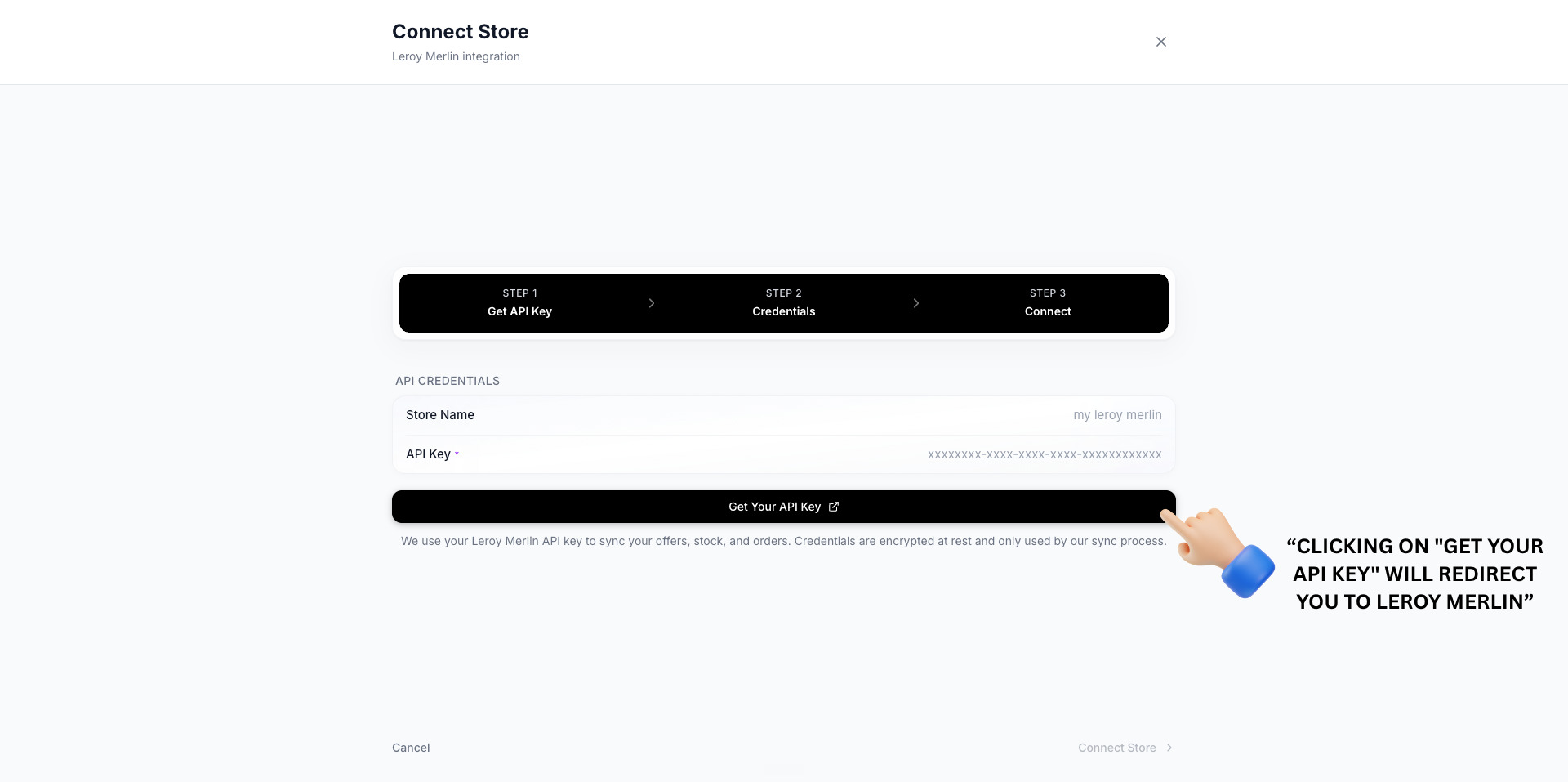
TSeller Leroy Merlin connect panel — click Get Your API Key
3

Copy your existing API key, or generate a new one

If a key is already shown, click Copy API key. If not, open Actions › Generate new API key and copy the new key. Generating a new key replaces any existing one.
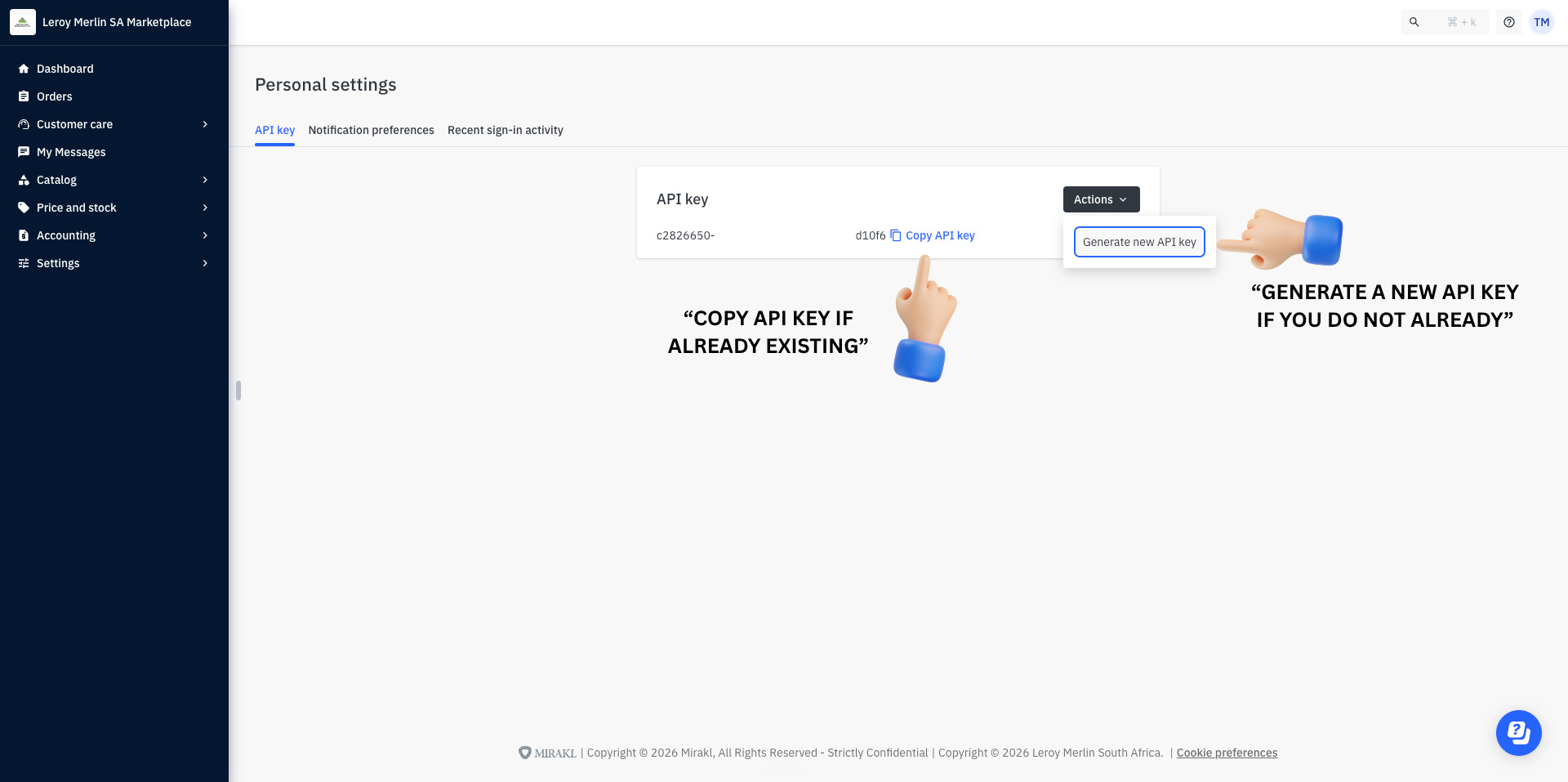
Leroy Merlin Personal settings — Copy API key or Generate new API key
4

Can't find the page? Open Personal settings manually

If you weren't taken to the API key page, click your account initials in the top-right corner and choose Personal settings.
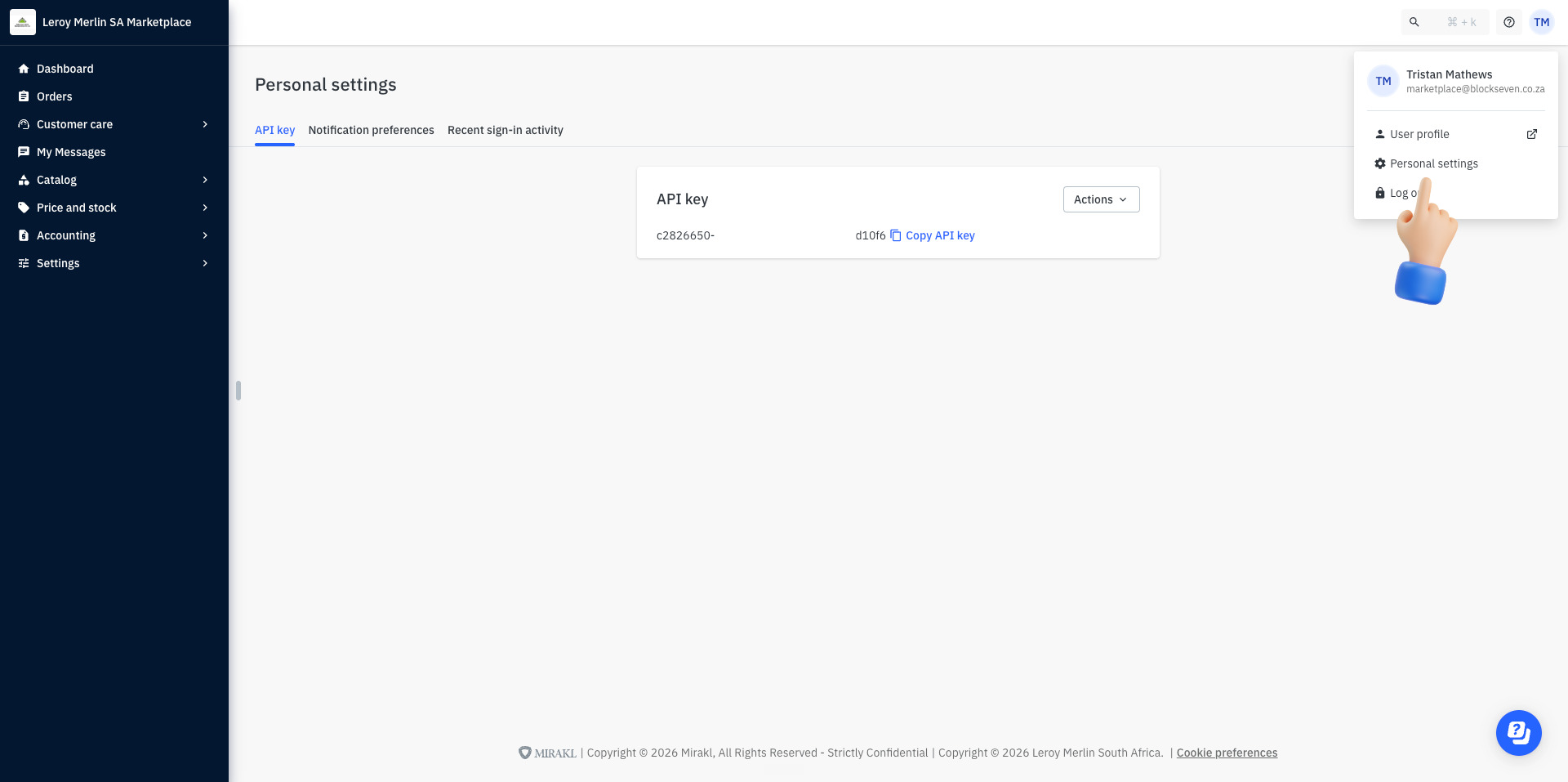
Leroy Merlin seller portal — account menu with Personal settings
5

Open the API key tab

On Personal settings, click the API key tab.
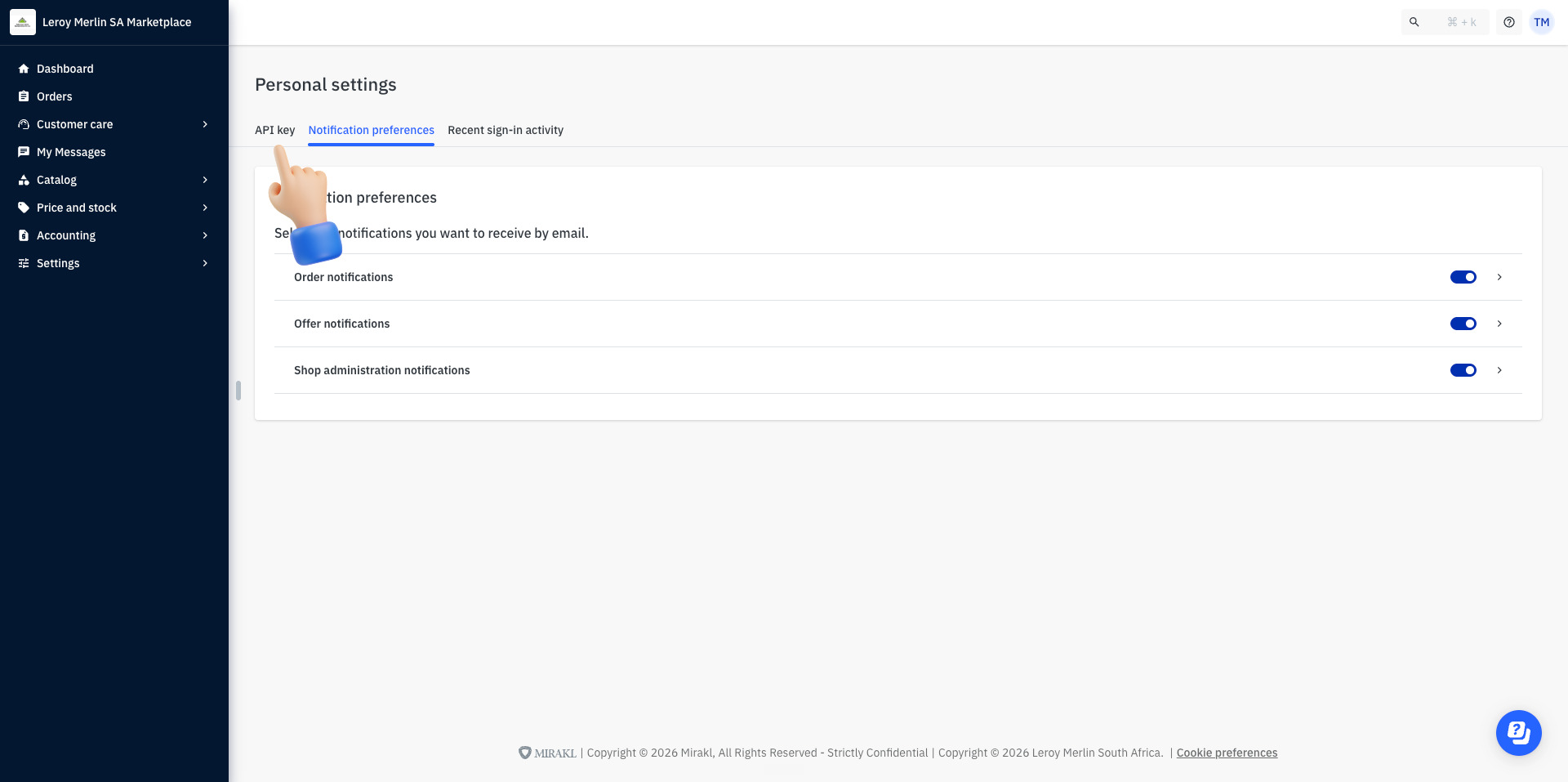
Leroy Merlin Personal settings — click the API key tab
6

Generate or copy your API key

Click Actions › Generate new API key if you don't have one yet, or Copy API key if you do.
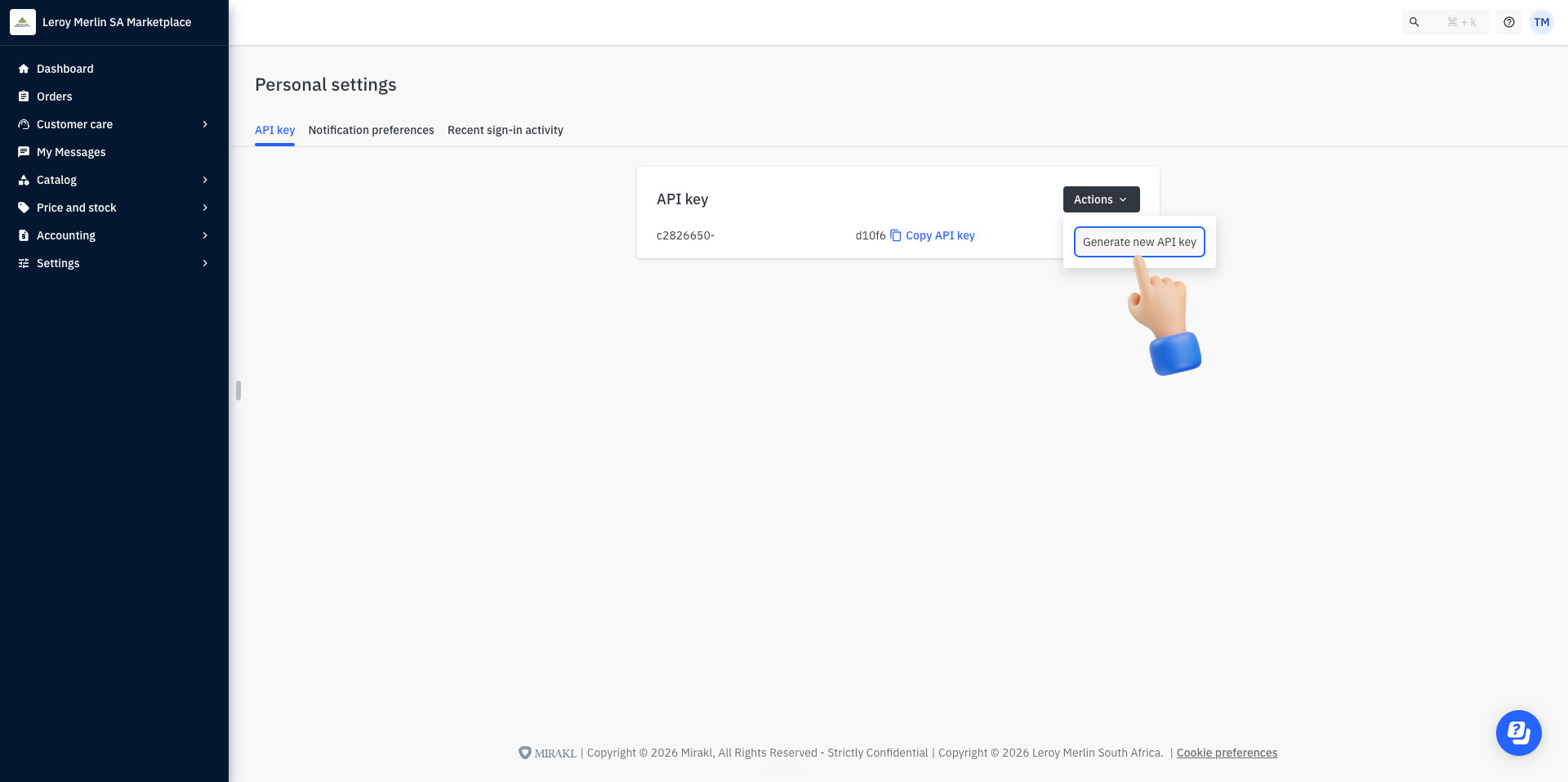
Leroy Merlin API key panel — Actions menu with Generate new API key
7

Paste the API key into TSeller and connect

Back in TSeller, give the store a name (blank uses your Leroy Merlin shop name), paste the key into API Key and click Connect Store. Your offers and orders load within seconds.

Troubleshoot
Guide

API key rejected

Use the Copy API key button rather than selecting the text, and make sure you copied the current key.

Generated a new key by mistake?

The old key stops working. Disconnect Leroy Merlin in Settings and reconnect with the new key.

All offers show as inactive

Your shop may be closed for a holiday period in the Leroy Merlin seller portal. Reopen it and refresh.

Connected, but no data

TSeller reads Leroy Merlin live. Refresh the page; if still empty, check the key's user still has access to the shop.

Need help?

Get in touch with support